Why AI-Generated 3D Models Still Struggle With Real-World 3D Printing
In This Article
Why AI-Generated 3D Models Still Struggle With Real-World 3D Printing
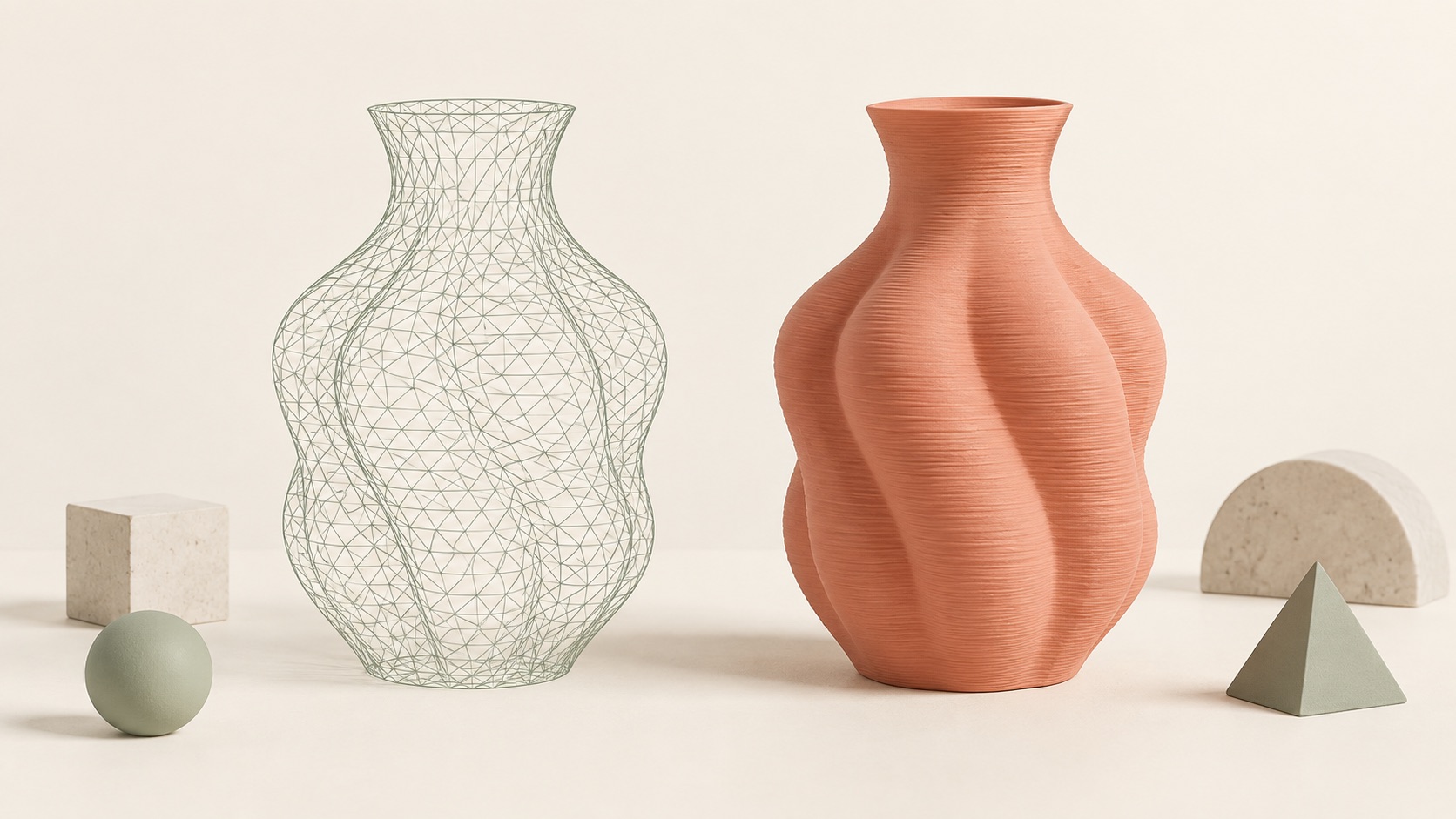
AI can now turn a text prompt or a single image into a recognizable 3D model in minutes. The result may look detailed, rotate smoothly in a browser, and appear ready for production.
Then you open it in a slicer.
Suddenly, parts of the model disappear. The software detects holes or disconnected surfaces. Small details are too thin to print. The object needs excessive support material, or it cannot stand securely on the print bed.
The core problem is simple:
AI-generated 3D models are usually optimized to look convincing, while printable 3D models must also obey physical and manufacturing constraints.
A model that looks good on screen is not necessarily a model that can be successfully printed.
A 3D render can hide broken geometry
A rendered model is primarily a visual object. Lighting, textures, and shading can hide small gaps, overlapping surfaces, inverted faces, and disconnected parts.
A slicer sees the model differently. It must interpret the object as a physical volume and divide that volume into printable layers.
For reliable slicing, the mesh normally needs to be watertight, meaning that it forms a closed surface with a clear inside and outside. Common problems in AI-generated 3D models include:
-
Holes in the mesh
-
Overlapping or self-intersecting faces
-
Inverted normals
-
Internal geometry
-
Disconnected shells
-
Floating details
-
Non-manifold edges
Some slicers can automatically repair basic mesh errors. However, automatic repair cannot always determine what the original shape was supposed to be. It may close a hole while removing an important detail or connecting parts incorrectly.
Visual detail may be too thin to print
AI 3D model generators are often rewarded for producing detailed results. Hair, fingers, leaves, jewelry, fabric, and ornamental patterns can make a digital model appear more realistic.
In a physical print, those details must have enough thickness to be manufactured.
A feature may exist in the mesh but still be too thin for the printer to reproduce. A strand of hair can become a fragile spike. A small gap may disappear. Thin text may become unreadable, while a delicate connection may break during support removal.
Printability also depends on scale. A feature that prints correctly on a 200 mm model may disappear when the same model is reduced to 40 mm.
There is no universal minimum wall thickness for every 3D print. The appropriate thickness depends on the printer, material, nozzle, layer height, orientation, and purpose of the object.
This means an AI system cannot fully evaluate printability without knowing how large the object will be and how it will be printed.
AI does not naturally design in layers
Most desktop 3D printers build an object one layer at a time. Each new layer must be supported by the layer below it or by additional support material.
An AI-generated character may have raised arms, floating clothing, thin legs, or horizontal details. These shapes can look natural in a render but become difficult to manufacture.
Too many overhangs can lead to:
-
Longer print times
-
Greater material use
-
Rough surfaces after support removal
-
Broken details
-
Supports trapped inside the model
-
Failed resin-printing islands
Changing the model’s orientation can help, but it often creates another trade-off. One orientation might reduce support on the face while weakening an arm or reducing contact with the build plate.
A print-ready model therefore needs more than valid geometry. It also needs a practical orientation and a shape that can be built layer by layer.
A single image does not contain complete 3D information
Image-to-3D generation has an unavoidable limitation: a single photograph only shows the visible side of an object.
It does not reveal:
-
The exact depth
-
The back of the object
-
Hidden connections
-
Underside geometry
-
The thickness of flat elements
-
Whether partially hidden parts are connected
The AI must invent this missing information based on patterns learned from other objects.
Sometimes the result is convincing. In other cases, the model has an inaccurate back, fused limbs, missing features, or geometry that only looks correct from the original camera angle.
For a digital render, an approximate hidden surface may be acceptable. For 3D printing, every invented surface becomes physical geometry.
Clear source images can reduce this problem. Images with good lighting, simple backgrounds, visible silhouettes, and limited occlusion generally produce more predictable results. However, they cannot completely remove the uncertainty.
Textures can create the illusion of geometry
Many AI-generated 3D models use textures to represent eyes, hair, fabric, logos, and surface details.
These elements may look convincing in a color preview but may not exist in the physical geometry. When the model is exported as an STL file, traditional texture information is not included.
As a result, a richly detailed preview can become a surprisingly plain print.
If a feature must appear physically, such as embossed text, a logo, a facial contour, or a groove, it must exist in the mesh at printable depth and thickness.
Users should therefore inspect both the textured model and a geometry-only preview before downloading an AI-generated STL.
Automatic repair is not the same as print preparation
Mesh repair tools are useful for closing holes, correcting normals, and removing invalid surfaces. But repairing topology only answers one question:
Can the slicer interpret this mesh as a solid?
It does not answer:
Is this object well designed for this printer, material, size, and purpose?
A repaired model can still have thin walls, weak connections, an unstable base, excessive overhangs, or details below the printer’s resolution.
A complete AI 3D printing workflow should therefore include:
-
Mesh validation
-
Intended size selection
-
Wall-thickness checks
-
Overhang and support analysis
-
Orientation recommendations
-
Geometry-only preview
-
Slicer inspection
-
A small test print when appropriate
How can you improve an AI-generated model before printing?
Before generating the model:
-
Use a clear, well-lit image
-
Choose a simple background
-
Avoid heavily obscured subjects
-
Prefer a readable silhouette
-
Decide whether you need a full model, relief, badge, or extrusion
Before exporting:
-
Inspect the model from every side
-
Turn off textures and examine the geometry
-
Look for floating, fused, missing, or thin parts
-
Set the intended physical dimensions
-
Simplify details that will not survive at the final size
Before printing:
-
Run a mesh validation or repair check
-
Slice the model and inspect the layer preview
-
Look for unsupported islands
-
Review small connections and wall thickness
-
Try different orientations
-
Print a low-cost prototype before committing to the final version
The safest approach is to treat the first AI-generated model as a draft rather than a guaranteed manufacturing-ready result.
The future of AI 3D printing is print-aware generation
AI 3D generation has made 3D creation far more accessible. People who have never used traditional CAD software can now move from an image or idea to a three-dimensional object.
But real-world printing exposes the difference between visual plausibility and physical reliability.
Closing that gap will require more than higher polygon counts or more realistic textures. AI systems will need to understand topology, scale, thickness, orientation, support requirements, materials, and the intended use of an object.
They must also help users review and adjust uncertain areas instead of presenting every generated result as equally printable.
The future of AI 3D printing is not simply about generating anything. It is about generating something people can understand, adjust, slice, and successfully make.
That is the direction PrintVerse is exploring: helping people turn images and adjustable designs into physical, printable results—without requiring traditional CAD expertise.
Share this post
More to read
Author

Mia Chen
Mia explores how shapes and materials become everyday objects, with clear guides to 3D design and printing.