Create a Custom 3D Printed Nameplate
In This Article
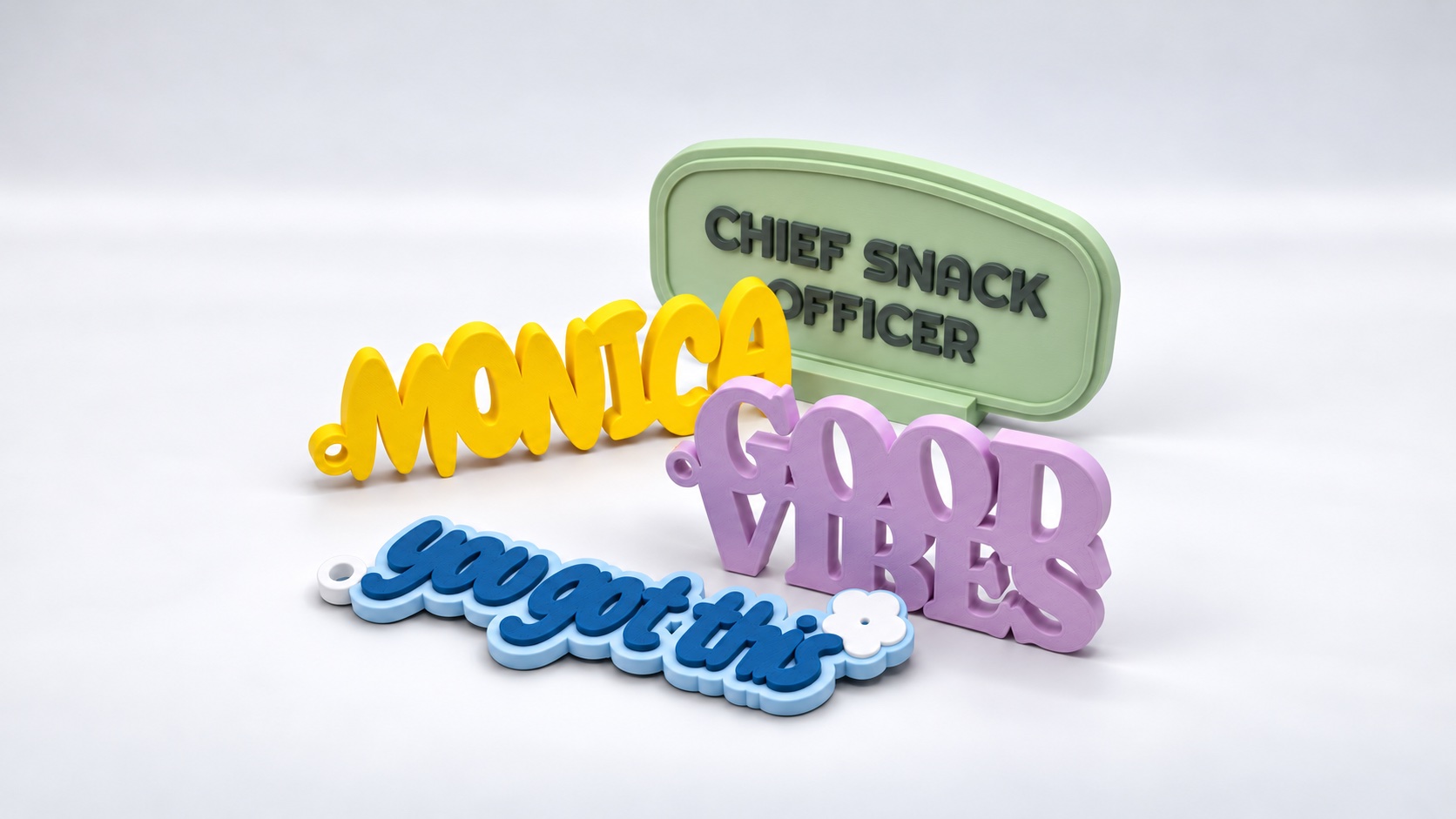
Design inspiration: names and short messages adapted for display or hanging.
A name makes a small object feel personal. It could mark a work corner, become a gift tag, or carry a few encouraging words beside your screen.
With PrintVerse’s Custom Nameplate tool, you choose a template and type the text directly into the model. This tutorial uses Milo to show the process from lettering to a downloadable 3MF or STL.
Choose the form before refining the letters
The tool opens with Script selected. Keep it for this walkthrough. It gives the lettering a flowing outline and starts with a loop attached.
For a different use, explore the template cards first. A backed design gives a short message a clear frame; a letter-led design lets the word itself define the silhouette. Where available, Loop and Stand adapt the design for hanging or display.
Choose the template before fine-tuning colors and placement. Switching templates restores the new template’s composition, while retaining supported text choices. Undo lets you return to the previous version.
Type a name and see it take shape
Open Text. Replace Line 1 with Milo, and leave Line 2 empty. Wait for the preview to finish updating before making the next change.
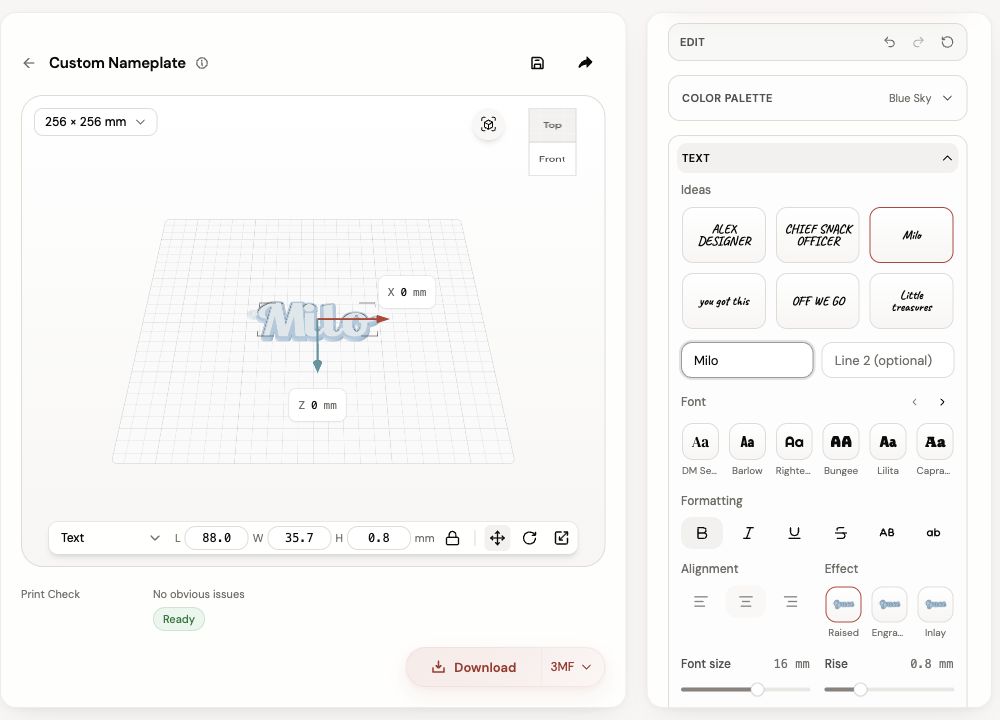
The text field changes the model itself. This example keeps the starting font and Raised effect.
Now try your own name. Read the word at the size you intend to print: short names usually leave more room for generous strokes, while longer phrases may work better across two lines or on a wider template.
If the letters become crowded, simplify the message or try a font with clearer spacing. Check small counters—the enclosed spaces in letters such as “a” and “o”—in the preview and later in your slicer.
Give the text a clear finish
The text controls include three effects where the selected structure supports them:
| Effect | Appearance |
|---|---|
| Raised | Letters sit above their supporting surface |
| Engraved | Letters are recessed into the surface |
| Inlay | Lettering forms a flush color region |
Keep Raised for the first Script example. Use the existing font size as a starting point, then adjust only if the word needs more room. A manual size change affects how the lettering fits, so inspect the whole word after each edit.
Choose a Color Palette, or select an individual part and change its color. A strong difference between lettering and backing helps a short message read from across a desk. For a single-color print, the raised shape can provide the separation through light and shadow.
Size it for its destination
Select Whole model in the preview’s part selector before reading the overall dimensions. When Text, Body or another part is selected, the dimension fields describe that part.
Compare the full nameplate with the place it will sit or hang. If you add a stand, inspect how the pieces meet and plan a trial fit with your chosen filament. Keep the loop opening clear if you will thread a cord through it.
Download with the color structure in mind
Read Print Check, then choose a download format and complete the account steps shown by the tool. 3MF carries color regions and part organization. STL carries geometry; a multipart nameplate may arrive as a ZIP containing its printable pieces.
In the slicer, select your printer and process profile, check the dimensions and review the first layers and lettering. For multicolor printing, map the imported regions to the filaments you have loaded. Keep registered color regions together within each physical piece.
A 3MF helps carry the model’s color structure into the slicer. Your printer’s capabilities and filament assignments determine how those colors are produced.
Make the gift feel like theirs
Use a name they recognize, a phrase they say, or a color they already keep around them. One specific detail often gives a small personalized object its charm.
Make your nameplate. For a seasonal gift, try a personalized Christmas ornament.
Share this post
More to read
Author
Nora Lin
Nora explores playful shapes, thoughtful gifts, and small objects that make a space feel personal.